
| Today |
| Workshops |
| Audio/Video |
| Electronics |
| Carputer |
| Misc |
| Other Garages |
| Contact Us |

RainyDayGarage...
|
||
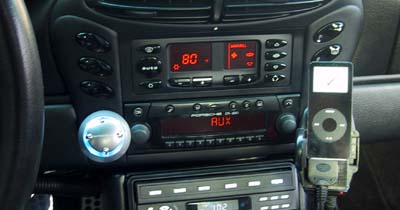
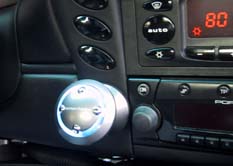
We attached the iPod nano, put the key in, and started the Boxster. All the pieces came to life :-)
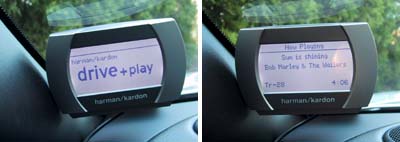
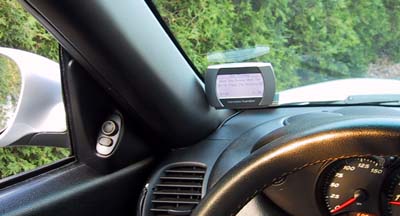
We had seen the Drive+Play display at MacWorld and had it running on the BenchTest but we were still pleasantly surprised by the readibility of the screen. Even in full daylight, the text was clearly visible...of course, we were just sitting still. It will be interesting to see whether the experience changes when we get on the road.
We have not had a chance to play with the different font/display options yet, and will update this report with our thoughts when we get back from the road test.
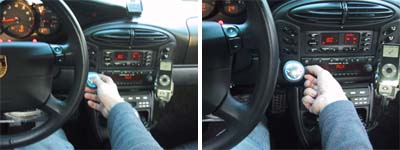
In the Drive+Play demo at MacWorld, the controller was mounted on the console. One thing we realized in our BenchTest with the setup was the Drive+Play does not control the iPod's volume...at least, we weren't able to figure out how to adjust the volume. Until someone shows us how to change the volume using the controller, mounting it near the volume knob was a good decision :-) We'll be take the Boxster out on the road the next few days to test out this unit. Check back to see our thoughts. Update: November 20, 2005 We have been zipping around with the Drive+Play for a few weeks now and we have to say...this thing is pretty awesome! The only thing that would top it is direct voice commands :-) We have switched back to the smaller fonts because the display was easy enough to read under most lighting conditions. One thing we did find a little annoying was the Drive+Play will turn on whenever we start the car...even if we had turned it off before turning off the ignition. It should remember its last state. There might be a setting for this, but we have not found it yet. Email us if you know what it is... we'll give you the credit for the tip.
|
Harman Kardon Drive+Play |
|
We reported on the the Drive+Play back in June when Harman Kardon announced it at MacWorld Boston. Harman Kardon recognized that people want to hook up their iPod to their car's stereo system, but realized that controlling it was next to impossible. The Drive+Play was designed to allow a driver to safely control the iPod's functions with minimal distraction. Of course, the user must still exercise COMMON SENSE while using the Drive+Play... but don't get us started on that :-) The Drive+Play is now shipping and we got one of the first units available.
RainyDayGarage will, of course, do a complete series on the installation and use of this innovative product. Review: 1. FirstLook 5. FirstUse
Review Summary: Initial Impression- Quality pieces Usability- iPod interface Durability- Test in progress Price- $200
iPod/MP3 Reviews: 3. MobiBLU iPod Case Reviews: iPod installation Reviews: iPod Speaker Reviews:
Other Boxster Projects: - Mac mini Carputer installation - PVC Rear Speakers installation |
||